Advantages of Office Automation


The modern workplace is undergoing a technological revolution, with office automation emerging as a powerful catalyst for organizational transformation. In an increasingly competitive global economy, businesses are turning to sophisticated automation technologies to unlock new levels of efficiency, productivity, and operational excellence. According to Salient Process, by 2025, nearly 70% of organizations are expected to integrate structured automation into their operations, emphasizing the importance of staying competitive and relevant to target audiences. Far more than a passing trend, automation has become a critical strategy for organizations seeking to optimize their resources, empower their workforce, and stay ahead in a rapidly evolving business landscape.
Recent research underscores the significant impact of office automation, revealing that automation could increase global productivity growth by 0.8-1.4% annually. Moreover, a striking 31% of businesses have already fully automated at least one functional area, while 65% of knowledge workers report reduced stress levels thanks to the automation of manual tasks. These statistics reveal a profound shift in how organizations approach work, productivity, and employee well-being.
In this blog, we will explore the advantages and disadvantages of office automation, compare it to traditional manual processes, and discuss how businesses can leverage automation tools to improve productivity while maintaining flexibility.

What is Office Automation?
Office automation involves leveraging technology and software to streamline operations by automating repetitive tasks, processes, and workflows, enhancing efficiency and productivity. It is the process of implementing digital tools and software solutions that transform manual, time-consuming work into efficient, automated workflows. According to Stratistics MRC, the Global Office Automation Market is projected to grow from $425.27 million in 2024 to $882.73 million by 2030, with a robust CAGR of 12.1% over the forecast period. At its core office automation utilizes tools to manage tasks that would otherwise require significant manual effort, freeing up employees to focus on higher-value work.
Modern office automation systems encompass various technological applications, including sophisticated email management platforms, intelligent scheduling tools, comprehensive document management systems, and advanced data processing solutions. These technologies work together to reduce manual intervention, minimize human error, and create more responsive and efficient workplace environments that allow employees to focus on strategic and creative aspects of their work.
The strategic implementation of office automation offers profound benefits for organizations of all sizes, enabling them to improve information flow, enhance productivity, and create more agile work processes. A study by McKinsey reveals that around 50% of current work tasks could be automated with today’s technology. This doesn’t mean jobs will disappear entirely, but rather that machines can handle repetitive tasks, making work processes more efficient. By leveraging technology to handle repetitive tasks such as data entry, scheduling, reporting, and communication management, businesses can optimize their operational efficiency, reduce administrative overhead, and create a more dynamic and technologically empowered workplace that adapts quickly to changing business needs.
Future of Office Automation
According to Analytics Insight, 80% of organizations are expected to embrace intelligent automation by 2025, signaling a major shift toward more efficient and advanced operational processes. The future of office automation is being dramatically reshaped by groundbreaking technological advancements, particularly in artificial intelligence, machine learning, and robotic process automation. These emerging technologies are revolutionizing how businesses approach workplace efficiency, creating increasingly intelligent systems that can learn, adapt, and perform complex tasks with minimal human intervention.
Artificial intelligence is enabling more sophisticated automation tools that can not only execute repetitive tasks but also make intelligent decisions, predict workplace needs, and provide strategic insights that were previously impossible.
Emerging Trends in Office Automation
- AI and Machine Learning: AI-powered tools are enabling systems to learn from data, predict outcomes, and make intelligent decisions. This includes automating complex processes like customer support, HR management, and even financial forecasting.
- Robotic Process Automation (RPA): RPA is transforming how repetitive tasks are handled by enabling software bots to perform routine operations like data entry, invoice processing, and report generation with speed and precision.
- Cloud-Based Solutions: As businesses increasingly adopt cloud platforms, office automation tools are becoming more accessible, scalable, and collaborative. This trend is further fueled by the rise of remote work, which demands seamless integration across distributed teams.
- Integration with IoT (Internet of Things): IoT-enabled devices are enhancing workplace automation by enabling smarter office management. These systems can automate tasks like energy management, optimize the use of meeting rooms, and streamline equipment maintenance, creating a more efficient and connected office environment.
Looking ahead, as technologies like AI, RPA, and IoT continue to advance, office automation will increasingly rely on data analytics to provide real-time insights and improve decision-making. These developments suggest a future where office automation is not just about completing tasks more efficiently, but about creating more intelligent, adaptive, and human-centric work ecosystems that can anticipate and meet organizational needs with unprecedented precision. Moreover, according to a report by Zapier, automation is also becoming a game-changer for small businesses, with 88% of owners saying it helps them streamline operations, minimize errors, and deliver better customer service, allowing them to compete more effectively with larger companies.
Types of Office Automation
Office automation encompasses a variety of systems designed to streamline operations and improve efficiency. These systems cater to different aspects of office workflows, ensuring smoother communication, data handling, and task management. Below are the main types of office automation systems:
1. Communication Systems
Effective communication is the backbone of any workplace, and office automation tools make it more efficient. Communication systems represent a critical dimension of office automation, transforming how businesses interact internally and externally. These include:
Email Management: Automating tasks like email sorting, filtering, and scheduling.
Instant Messaging: Platforms like Slack and Microsoft Teams that facilitate real-time communication and collaboration.
Automated Customer Service Tools: Chatbots and automated ticketing systems to enhance response times and customer satisfaction.
These technologies facilitate rapid information exchange, reduce communication delays, and create more responsive and interconnected workplace environments.
2. Data Management Systems
Data management systems have become increasingly sophisticated, offering organizations powerful automated solutions for document storage, retrieval, and analysis. These systems utilize advanced algorithms and cloud-based technologies to organize, categorize, and make vast amounts of corporate information accessible. Automated report-generation tools can now compile complex data sets, generate insights, and present information in visually compelling formats, enabling decision-makers to access critical business intelligence quickly and efficiently. Such systems not only save significant time but also reduce the potential for human error in data handling and interpretation.
3. Office Software Automation
Payroll processing systems and human resources management tools have become integral to modern office automation. These technologies automatically calculate complex compensation structures, generate pay slips, and ensure compliance with tax regulations. HR automation tools can manage recruitment processes, track employee performance, handle leave requests, and streamline onboarding procedures, creating more efficient and responsive workplace management systems.
4. Workflow Automation
Workflow automation tools focus on optimizing processes to ensure tasks are completed faster and more accurately. Advanced project management platforms leverage automation to delegate tasks, track progress, send automatic reminders, and provide real-time updates. These tools create more transparent and efficient organizational ecosystems that maximize productivity, minimize administrative overhead, and enable teams to focus on strategic and creative aspects of their work.
These types of office automation systems not only simplify daily operations but also foster a more productive and organized workplace.
Advantages of Office Automation
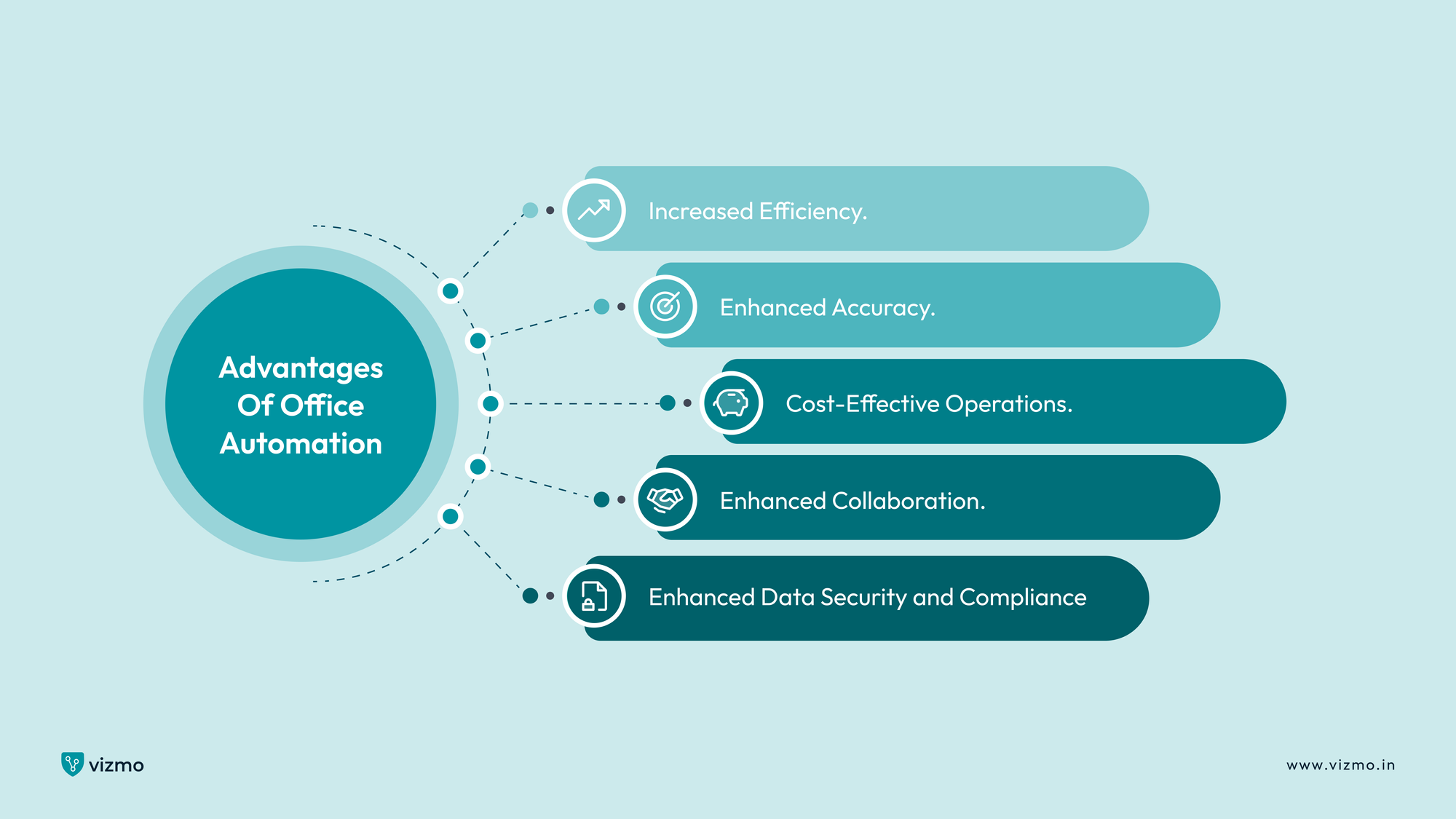
Office automation offers numerous benefits that help businesses streamline their operations, improve accuracy, and foster collaboration. Here are the key advantages of implementing office automation:
1. Increased Efficiency
Office automation fundamentally revolutionizes workplace productivity by dramatically reducing the time consumed by repetitive administrative tasks. According to WorkMarket’s 2020 In(Sight) Report, 53% of employees believe automation can help them save up to 2 hours per day, equivalent to 240 hours annually. Similarly, 78% of business leaders estimate that automation could free up as much as 3 hours daily, or 360 hours per year. By implementing intelligent technological solutions, organizations can streamline processes that traditionally required extensive manual intervention, allowing employees to redirect their energy toward more strategic and creative work.
Key efficiency benefits include:
- Reduction of manual data entry time by up to 70%
- Automatic task scheduling and prioritization
- Streamlined workflow management across departments
Sophisticated automation tools can complete complex data entry, document processing, and administrative tasks in minutes, which would previously have taken hours of human labor, creating significant efficiency gains across various organizational functions.
2. Enhanced Accuracy
The precision introduced by office automation represents a critical advantage for businesses seeking to minimize human error and improve data reliability. About 50% of organizations believe that automation helps to reduce or eliminate human error. Automated systems are particularly effective in handling complex, data-intensive tasks such as payroll processing, financial reporting, and document management, where even minor human errors can lead to significant financial and operational consequences.
Critical accuracy improvements include:
- Near-zero error rates in data processing
- Consistent application of business rules and compliance standards
- Real-time error detection and correction mechanisms
These technological solutions maintain consistent performance, adhere to predefined rules and standards, and provide a level of accuracy that is virtually impossible to achieve through manual processes, thereby enhancing overall organizational reliability and compliance
3. Cost-Effective Operations
From a financial perspective, office automation offers compelling cost benefits that extend far beyond simple labor reduction. The WorkMarket 2020 report reveals that around 30% of business leaders have seen a reduction in labor costs thanks to process automation. By minimizing manual interventions, businesses can significantly decrease operational expenses, reduce the need for extensive administrative staff, and create more scalable operational models.
Financial advantages include:
- Significant reduction in administrative overhead
- Lower operational costs through automated processes
- Improved resource allocation and strategic investment opportunities
Automated systems enable organizations to handle increased workloads without proportionally increasing human resources, facilitating smoother expansion and growth while maintaining operational efficiency.
4. Enhanced Collaboration
Office automation creates more interconnected and transparent workplace environments by providing real-time, centralized access to critical information. These technologies break down departmental silos, enabling seamless communication and information sharing across different teams and organizational levels.
Collaboration benefits include:
- Instant access to shared documents and resources
- Real-time project tracking and status updates
- Improved cross-departmental communication
- Enhanced remote work capabilities
By creating more accessible and integrated information systems, office automation supports more agile, responsive, and collaborative business operations, ultimately driving organizational innovation and productivity.
5. Enhanced Data Security and Compliance
Office automation plays a crucial role in strengthening an organization's data security and regulatory compliance efforts. Modern automated systems incorporate advanced security protocols, encryption technologies, and comprehensive access controls that significantly reduce the risk of data breaches and unauthorized information access.
Key security and compliance advantages include:
- Automated compliance monitoring
- Real-time security threat detection
- Consistent application of data protection policies
- Reduced risk of human error in sensitive data handling
- Automatic generation of compliance reports
A report indicates that 58% of organizations use automation for data reporting, while 36% rely on it for regulation and compliance. These automated systems excel at maintaining regulatory standards across various industries, whether it's healthcare's HIPAA requirements, financial services' strict data protection regulations, or general data privacy laws like GDPR. By removing human discretion from critical security processes, these technologies create a more robust and reliable approach to protecting organizational and customer data.
Disadvantages of Office Automation
1. High Upfront Costs
Implementing office automation systems represents a significant financial challenge for many organizations. Implementing such systems often requires a significant initial investment in software, hardware, and employee training. Small and medium-sized businesses may find these initial expenses particularly prohibitive, requiring substantial capital investment that can strain existing financial resources and potentially delay return on investment.
2. Workforce Displacement and Employee Resistance
The rise of office automation triggers legitimate concerns about job security and workforce transformation. Many employees fear that automated systems will completely replace human roles, leading to significant anxiety and potential resistance to technological implementation. While automation typically reshapes job roles rather than eliminating them entirely, the psychological impact of technological disruption can create substantial organizational tension and decrease employee morale.
Workforce challenges include:
- Fear of job loss
- Required skill retraining
- Potential decrease in employee engagement
- Resistance to technological change
Effective communication and upskilling programs can help companies tackle and address these challenges and foster employee acceptance.
3. Cybersecurity and Data Vulnerability
Automated systems, despite their advanced capabilities, introduce complex cybersecurity challenges that can potentially compromise organizational data integrity. As businesses become increasingly dependent on interconnected technological systems, the risk of sophisticated cyberattacks grows exponentially. Automated platforms can create multiple potential entry points for malicious actors if not meticulously secured and continuously monitored. If proper security measures like firewalls, encryption, and regular system updates are not in place, sensitive data may be exposed to threats such as hacking, data breaches, or ransomware.
4. Ongoing Maintenance and System Complexity
Office automation systems require continuous maintenance, updates, and technical support, which can create substantial long-term operational expenses. The complexity of these systems means that organizations must invest in specialized technical expertise, regular software updates, and potential system reconfigurations to maintain optimal performance.
While the benefits of office automation often outweigh the drawbacks, addressing these challenges proactively is essential to ensure a smooth transition and secure, efficient operations.
Office Automation vs Manual Office Processes
Let’s understand how office automation compares to traditional manual processes and how each approach impacts business operations. While automation excels in efficiency and accuracy, manual processes still provide flexibility and control in specific scenarios. Here’s a closer look at the two approaches:
1. Efficiency in Data Entry, Communication, and Task Management
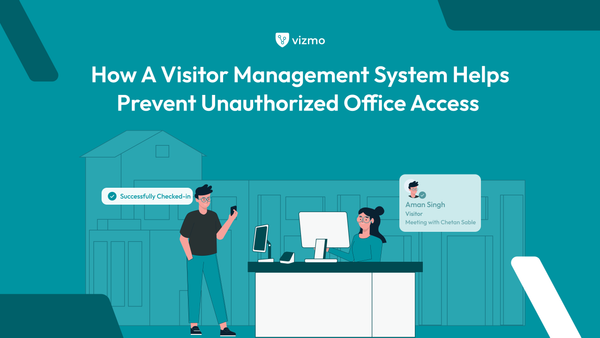
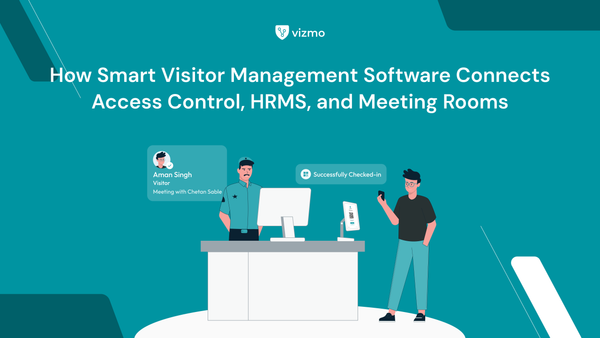
Automated Processes: Automation significantly improves efficiency by handling repetitive tasks like data entry, email sorting, and task delegation in a fraction of the time. Tools such as project management software and automated email systems streamline workflows, ensuring tasks are completed faster and with minimal oversight. For example, a Visitor Management System (VMS) can automatically log visitor details, send notifications, and manage check-ins, replacing the need for manual entry into paper logs.
Manual Processes: Traditional methods, such as handwritten records or manual scheduling, are slower and require more effort. For instance, manually tracking visitors on paper logs can be time-consuming, prone to errors, and difficult to organize, but it may still work for small businesses or offices that handle minimal visitor traffic and require a personal touch.
2. Reduction in Human Error vs Flexibility and Control
For many businesses, a hybrid approach where automation complements manual processes provides the best of both worlds. Automation handles repetitive, time-consuming tasks, while employees focus on decision-making, creative problem-solving, and tasks that require a human element.
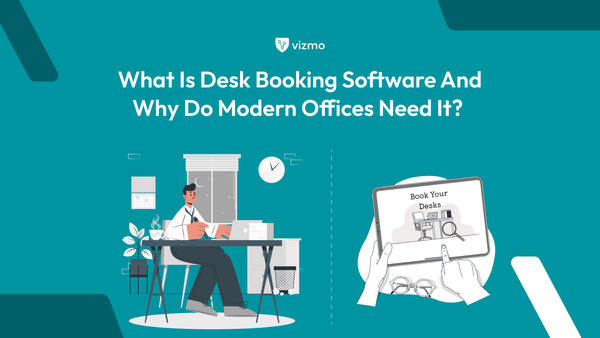
For example, desk booking software allows employees to reserve workspaces in advance, ensuring efficient use of office resources while reducing scheduling conflicts. These systems also provide real-time availability, automated notifications, and efficient space management without the need for manual intervention. At the same time, manual oversight can handle unique requirements, such as accommodating last-minute bookings or managing workspace preferences for specific teams.
This synergy enhances productivity, optimizes resource usage, and ensures operations remain both efficient and adaptable to evolving workplace needs.
3. The Hybrid Approach
For many businesses, a hybrid approach where automation complements manual processes provides the best of both worlds.
Automated Processes: Automation tools like meeting room booking software enable employees to reserve workspaces seamlessly, ensuring optimal resource utilization and eliminating conflicts in scheduling. These systems provide real-time availability, automated notifications, and efficient space management without the need for manual intervention.
Manual Processes: While automated systems streamline workspace bookings, manual oversight can provide flexibility for last-minute changes or unique requests. For instance, office managers can manually allocate desks for special projects or accommodate team preferences that automation alone might miss.
This synergy enhances productivity, optimizes resource usage, and ensures operations remain both efficient and adaptable to evolving workplace needs.
Examples of Office Automation
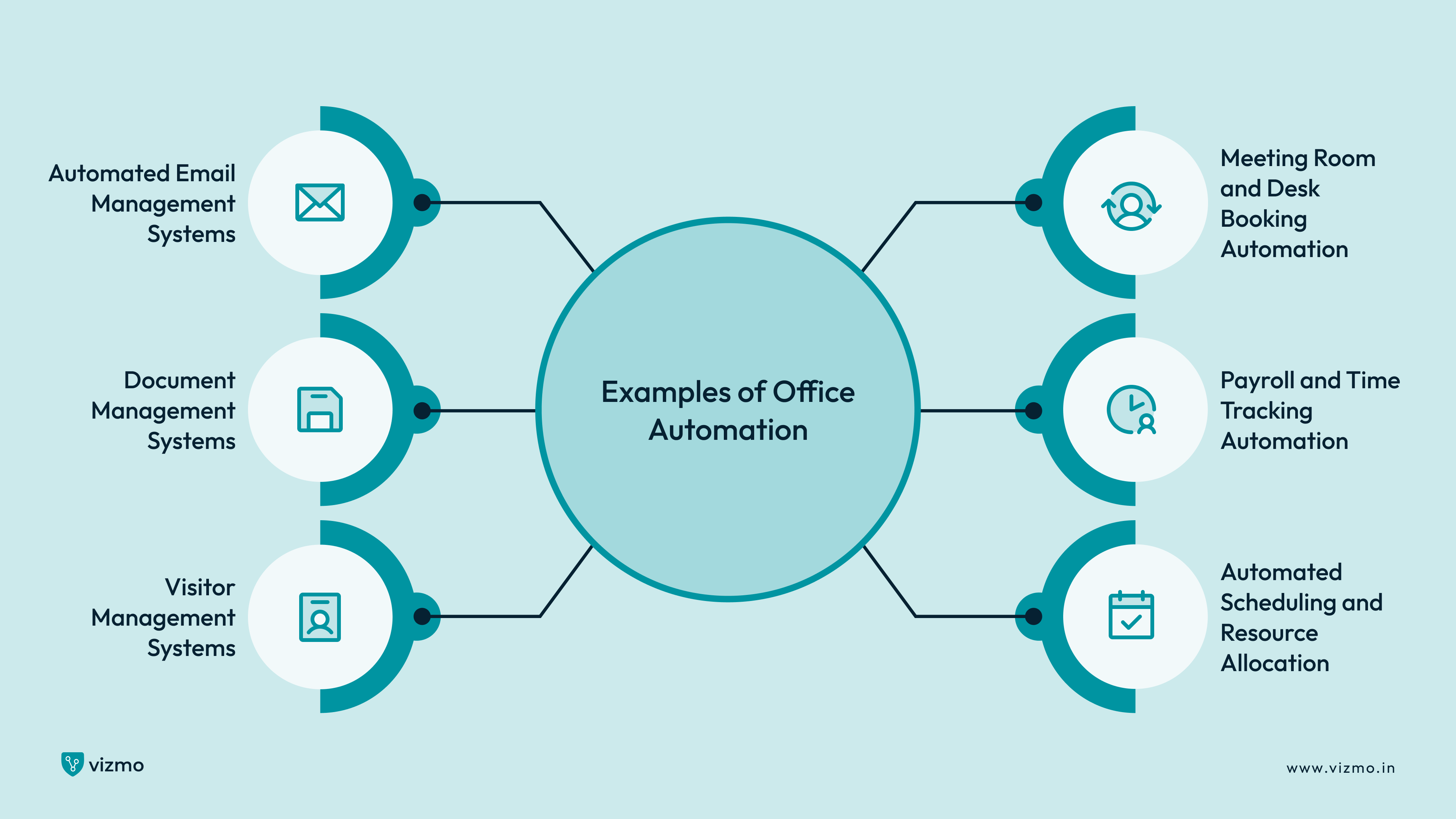
1. Automated Email Management Systems
Modern email automation transforms communication management by intelligently organizing, filtering, and prioritizing incoming messages. Advanced systems can automatically categorize emails based on predefined rules, separate critical communications from promotional content, and even draft preliminary responses using artificial intelligence.
Key email automation features include:
- Intelligent message categorization
- Automatic spam and priority filtering
- Integration with calendar and scheduling systems
- Smart response suggestions
2. Document Management Systems
Document management automation revolutionizes how organizations handle information, providing comprehensive solutions for filing, retrieving, and sharing critical business documents. These systems create centralized digital repositories that enable instant access, version control, and collaborative editing across different departments and remote work environments. Comprehensive document management capabilities include:
- Automated file indexing and categorization
- Real-time collaboration features
- Secure cloud-based storage
- Version tracking and recovery
3. Automated Scheduling and Resource Allocation
Scheduling automation represents a critical technological advancement in workplace management, offering intelligent systems that automatically coordinate meetings, manage resource allocation, and optimize workplace efficiency. Modern scheduling tools can integrate desk booking, meeting room reservations, and employee availability into comprehensive platforms that eliminate manual coordination challenges.
Scheduling automation highlights:
- Automatic meeting coordination
- Real-time availability tracking
- Integrated desk and meeting room booking
- Cross-platform calendar synchronization
4. Payroll and Time Tracking Automation
Payroll automation systems provide comprehensive solutions for managing employee compensation, tracking work hours, and ensuring accurate financial processing. These sophisticated platforms automatically calculate complex salary structures, track employee hours across various work arrangements, and integrate seamlessly with time tracking and desk booking systems.
Payroll automation features include:
- Automated salary calculations
- Precise time tracking
- Compliance with tax and labor regulations
- Integration with HR management systems
5. Visitor Management Systems
Modern visitor management automation transforms traditional reception processes by providing intelligent, contactless solutions for tracking and managing workplace visitors. These systems eliminate the need for manual logbooks and paper-based visitor registration, replacing them with digital platforms that streamline entry processes, enhance workplace security, and create more professional first impressions for incoming guests.
Visitor management automation capabilities include:
- Contactless check-in processes
- Automatic visitor registration
- Integration with security systems
- Real-time visitor tracking and notifications
6. Meeting Room and Desk Booking Automation
Workspace allocation automation represents a cutting-edge approach to managing office resources, allowing employees to reserve desks and meeting rooms through intelligent, user-friendly platforms. These systems provide real-time availability information, enable instant booking, and integrate with broader office management technologies.
Workspace booking features:
- Real-time desk and room availability
- Mobile and desktop booking interfaces
- Occupancy tracking and analytics
- Integration with scheduling systems
By implementing these automated systems, organizations can create more efficient, secure, and adaptive workplace environments that maximize technological potential while preserving human-centric workplace experiences.

Final Thoughts
Office automation represents a transformative approach to modern workplace management, offering organizations unprecedented opportunities to enhance operational efficiency, reduce costs, and improve overall productivity. By strategically implementing automated technologies, businesses can create more agile, responsive, and intelligent work environments that leverage the best of technological innovation while preserving the critical human elements of creativity and strategic thinking.
The future of work demands continuous adaptation and a willingness to embrace technological advancements. Businesses that remain flexible, invest in intelligent automation solutions, and maintain a forward-thinking approach will be best positioned to thrive in an increasingly digital and interconnected workplace landscape. By viewing office automation as an ongoing journey of innovation and improvement, organizations can unlock new levels of efficiency, creativity, and competitive advantage. Discover how Vizmo's cutting-edge workplace management solutions can revolutionize your organizational efficiency. Book a personalized demo today and explore how our innovative automation technologies can help your business achieve its full potential.