Good-to-Have Workplace Practices: Building Smarter Offices with Visitors, Desks, and Meeting Rooms

Introduction: Redefining Workplace Practices for the Modern Office
Workplaces today are no longer static spaces where employees simply come in, sit at fixed desks, and attend meetings in pre-assigned rooms. The modern office is dynamic, flexible, and experience-driven. With hybrid work models becoming the norm, organizations must rethink how their workplaces function on a daily basis.
Good workplace practices are no longer optional—they are critical to operational efficiency, employee satisfaction, and organizational security. A well-managed workplace ensures that people, spaces, and processes work together seamlessly.
At the core of these practices are three essential workplace elements:
- Visitors – how external stakeholders are welcomed, tracked, and secured
- Desks – how employees access and use workspaces efficiently
- Meeting Rooms – how collaboration spaces are scheduled, utilized, and optimized
This blog explores good-to-have workplace practices with a clear focus on visitor management, desk management, and meeting room management, and how organizations can create safer, smarter, and more productive offices by managing these elements effectively.
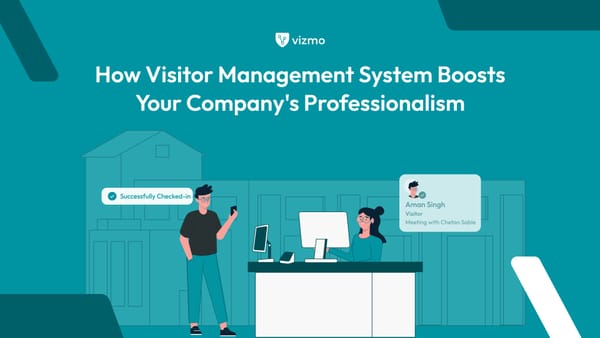
1. Visitor Management: Setting the Tone from the First Step In
Why Visitor Management Is a Critical Workplace Practice
Visitors form their perception of an organization the moment they enter the premises. Whether it’s a client, vendor, interview candidate, or partner, a smooth and professional visitor experience reflects an organization’s attention to detail and commitment to security.
Good visitor management practices go beyond sign-in registers. They focus on efficiency, safety, compliance, and brand experience.
Common Visitor Management Challenges
Many organizations still rely on outdated processes that lead to:
- Manual logbooks and inaccurate records
- Long wait times at reception
- No real-time visibility into who is on-site
- Poor coordination between hosts and reception
- Limited control over visitor access
- Compliance and audit challenges
These issues increase security risks and negatively impact visitor experience.
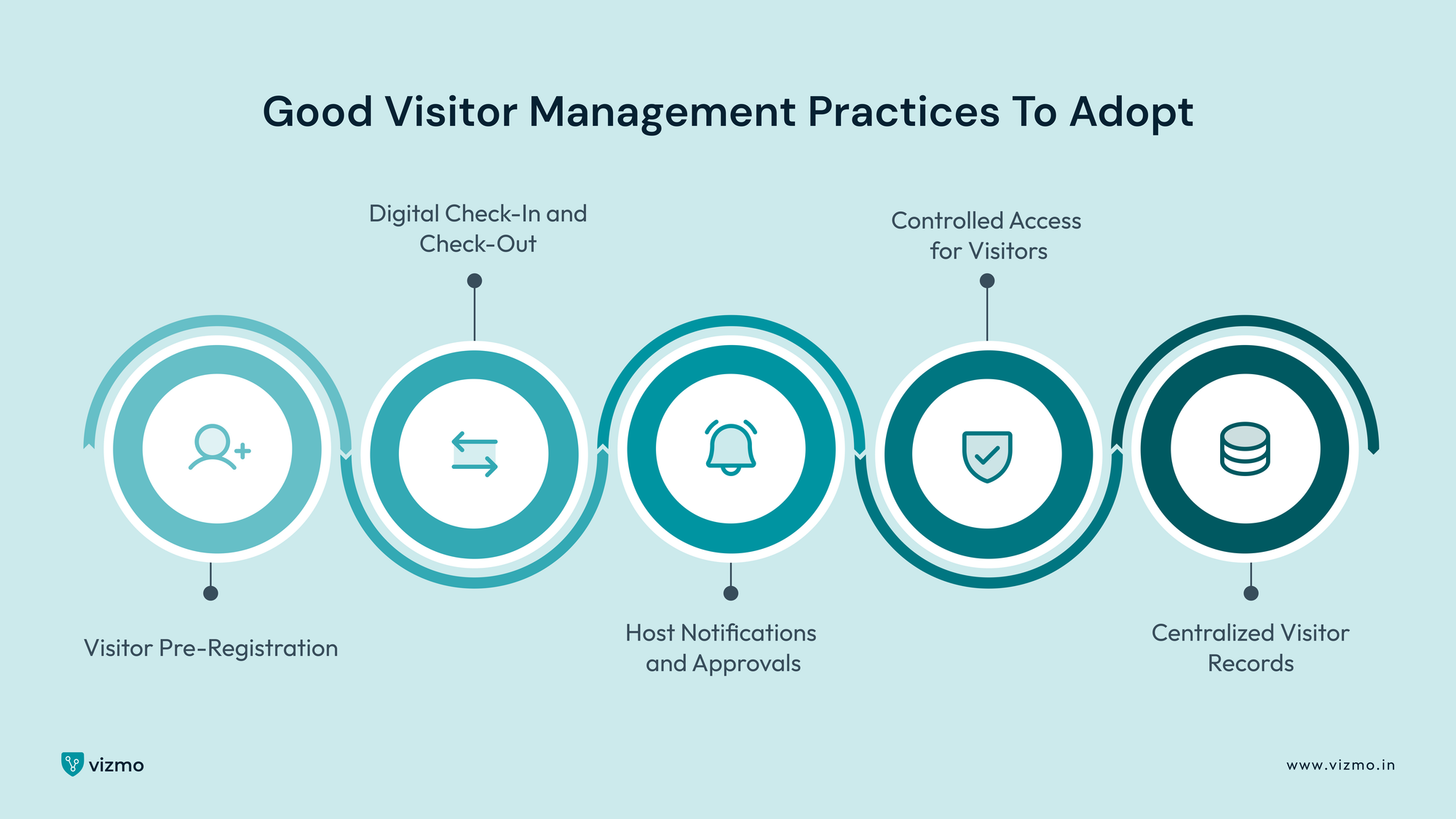
Good Visitor Management Practices to Adopt
1. Visitor Pre-Registration
Pre-registering visitors reduces waiting time, ensures accurate data capture, and allows hosts to plan ahead.
2. Digital Check-In and Check-Out
Automated check-in through kiosks or QR codes eliminates paperwork and ensures consistent data.
3. Host Notifications and Approvals
Instant alerts ensure visitors are attended to promptly and reduce unnecessary delays.
4. Controlled Access for Visitors
Visitors should only access approved areas, especially when attending meetings in designated meeting rooms.
5. Centralized Visitor Records
Digital logs help organizations stay audit-ready and respond quickly during emergencies.
Benefits of Strong Visitor Management Practices
- Improved security and accountability
- Faster and more professional check-ins
- Better compliance and audit readiness
- Enhanced brand image and visitor confidence
2. Desk Management: Supporting Flexible and Hybrid Work Models
Why Desk Management Matters in Today’s Workplace
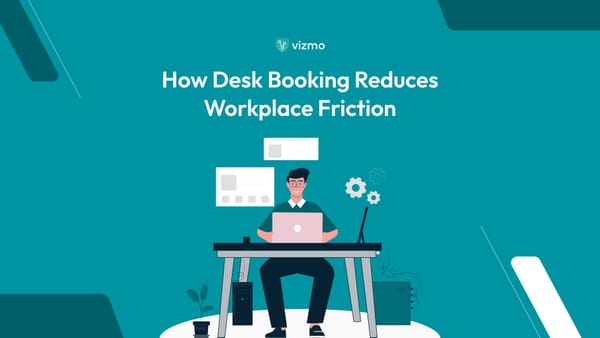
With hybrid work becoming mainstream, fixed seating is often inefficient. Many desks remain unused while others are in high demand. Good desk management practices ensure that desk availability aligns with actual workplace usage.
Desk management is no longer about assigning seats—it’s about enabling flexibility while maintaining structure.
Common Desk Management Challenges
Organizations without clear desk practices often face:
- Underutilized office space
- Confusion around desk availability
- Overcrowding on peak days
- Lack of visibility into desk usage
- Employee frustration and reduced productivity
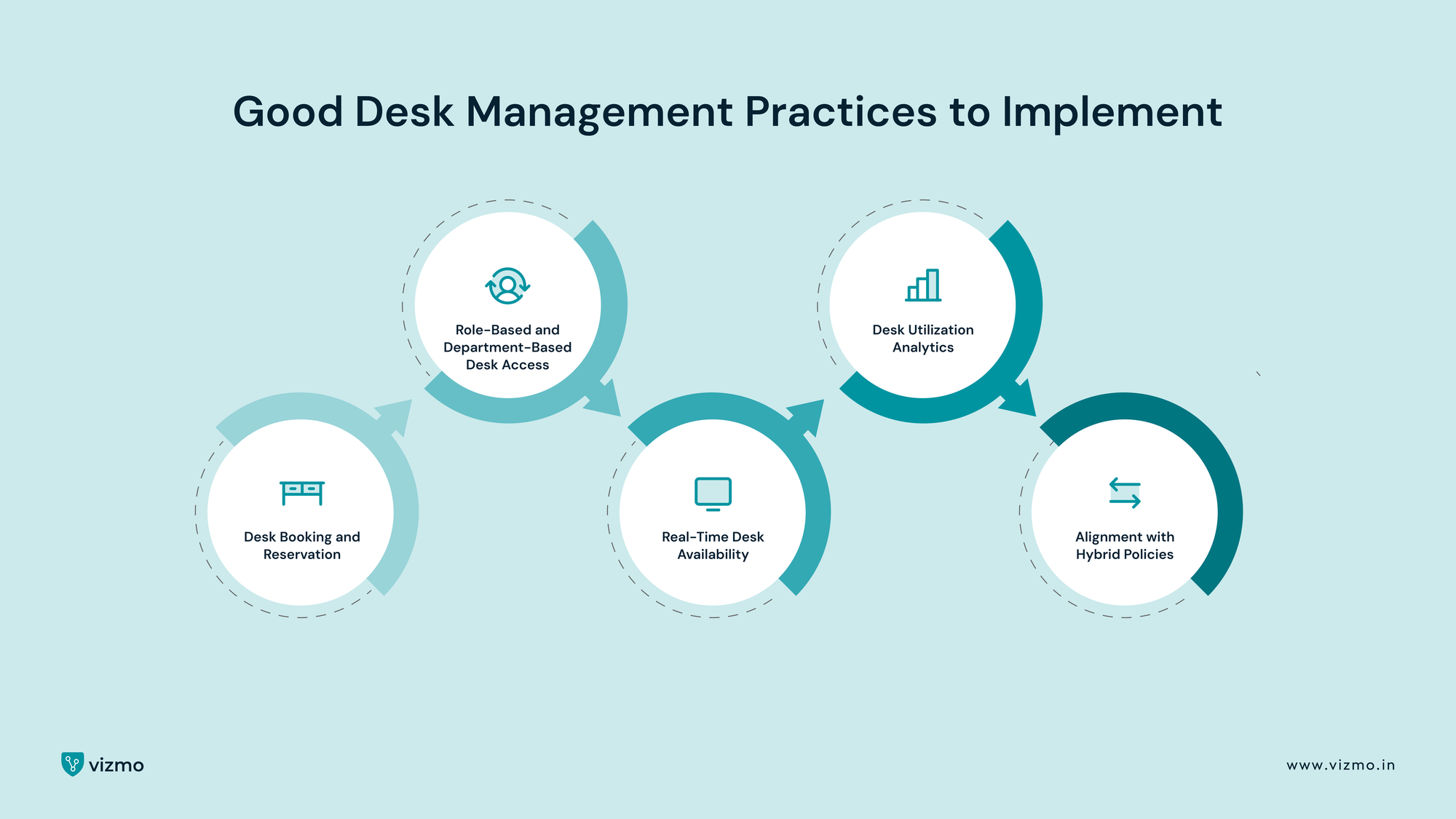
Good Desk Management Practices to Implement
1. Desk Booking and Reservation
Allowing employees to book desks in advance ensures transparency and fairness.
2. Role-Based and Department-Based Desk Access
Certain desks may be reserved for specific teams or roles to support operational needs.
3. Real-Time Desk Availability
Live visibility helps employees plan their office days efficiently.
4. Desk Utilization Analytics
Usage insights help optimize layouts, reduce unused space, and plan future capacity.
5. Alignment with Hybrid Policies
Desk management should support flexible schedules and team collaboration days.
Benefits of Effective Desk Management
- Better space utilization
- Reduced real estate and operational costs
- Improved employee autonomy
- Smoother hybrid work experience
3. Meeting Room Management: Enabling Effective Collaboration
Why Meeting Rooms Need Structured Management
Meeting rooms are essential collaboration spaces, yet they are often mismanaged. Double bookings, no-shows, and unclear availability waste valuable time and space.
Good meeting room management practices ensure that meeting rooms are easy to find, easy to book, and used effectively.
Common Meeting Room Challenges
- Rooms booked but left unused
- Overbooking and scheduling conflicts
- Mismatch between room size and meeting type
- Lack of visibility into room availability
- Inefficient support for hybrid meetings
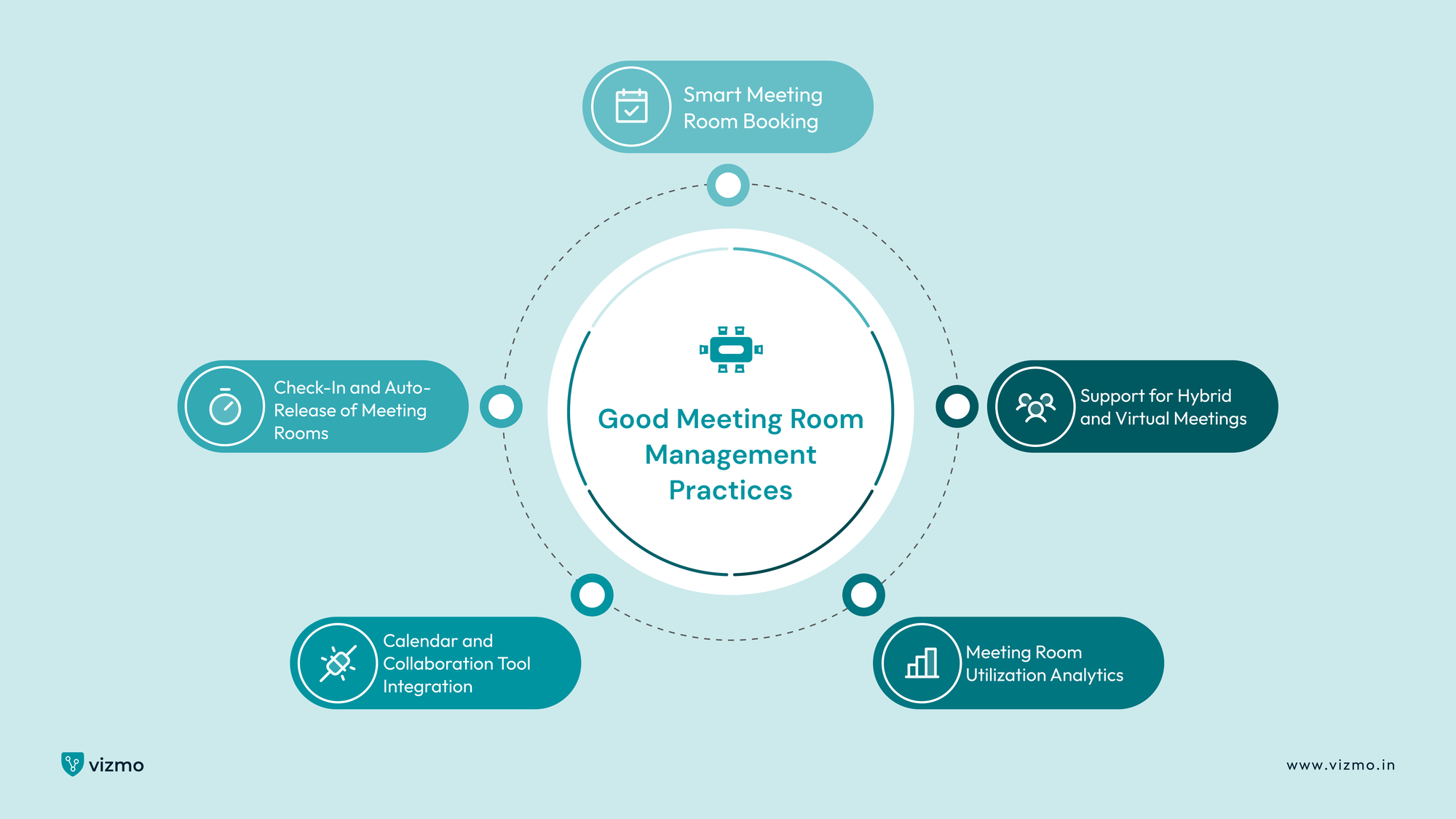
Good Meeting Room Management Practices
1. Smart Meeting Room Booking
Employees should be able to book meeting rooms based on capacity, location, and available amenities.
2. Check-In and Auto-Release of Meeting Rooms
Unused meeting rooms should be automatically released to avoid space wastage.
3. Calendar and Collaboration Tool Integration
Seamless integration avoids conflicts and improves scheduling efficiency.
4. Meeting Room Utilization Analytics
Data helps organizations understand which meeting rooms are overused or underused.
5. Support for Hybrid and Virtual Meetings
Meeting rooms must be managed to support both in-person and remote participants.
Benefits of Strong Meeting Room Management
- Reduced scheduling conflicts
- Higher meeting room utilization
- Better collaboration experiences
- Data-driven space planning
4. Creating a Unified Workplace Experience Across Visitors, Desks, and Meeting Rooms
A workplace does not function in silos. Visitors, desks, and meeting rooms are deeply interconnected, and when they are managed independently, friction is inevitable. A visitor may arrive on time for a meeting, but the host struggles to find an available meeting room. Employees may plan an office day, only to find desks unavailable or meeting rooms fully booked. These gaps may seem small, but over time they disrupt productivity and diminish confidence in workplace systems.
Good workplace practices focus on creating a connected experience, where people and spaces align seamlessly throughout the day. When visitor schedules, desk availability, and meeting room bookings are visible and coordinated, the workplace feels organized and predictable. Employees and visitors move through the office with clarity, knowing that the spaces they need will be available when required.
A unified approach also improves planning and capacity management. By understanding how many visitors are expected, how many desks are booked, and which meeting rooms are in use, organizations gain a realistic view of daily office occupancy. This visibility helps facilities and workplace teams prepare for peak days, manage resources efficiently, and avoid overcrowding. Instead of reacting to issues as they arise, teams can anticipate needs and plan proactively.
From an experience perspective, integration removes unnecessary decision-making. Employees don’t need to worry about coordinating desk bookings around meetings or adjusting plans at the last minute. Visitors arrive to a workplace that feels prepared for them, with meeting rooms ready and hosts informed. This coordination creates a sense of professionalism and calm, even on busy days.
A unified workplace experience also strengthens accountability. When visitors, desks, and meeting rooms are managed together, organizations can trace how spaces are used, identify inefficiencies, and continuously improve workplace design and policies. Over time, this leads to smarter layouts, better collaboration zones, and more effective use of office real estate.
Ultimately, good workplace practices are about ensuring that every interaction with the office feels intentional. When visitors, desks, and meeting rooms operate as parts of one connected system, the workplace supports productivity instead of getting in the way—and that is the true measure of a well-managed office.
5. Security, Compliance, and Safety as Built-In Workplace Practices
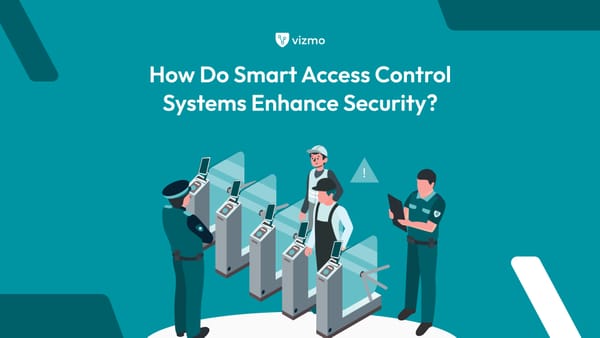
Security and compliance are most effective when they are woven into daily workplace operations rather than enforced as separate controls. In an office environment, visitors, desks, and meeting rooms play a direct role in determining how safe and compliant the workplace truly is. Without structured practices, organizations often lack clarity on who is inside the premises, which areas are in use, and whether occupancy limits are being followed.
Visitor management is the first layer of workplace security. When visitors are registered digitally, approved by hosts, and guided only to authorized meeting rooms, organizations maintain clear accountability without creating friction. Accurate, time-stamped visitor data also ensures readiness during audits or emergency situations, where knowing exactly who is on-site becomes critical.
Desk and meeting room data further strengthen workplace safety by providing real-time visibility into office occupancy. Understanding which desks are in use and how meeting rooms are being occupied helps organizations avoid overcrowding, manage capacity effectively, and respond quickly during evacuations or safety incidents. These practices allow security and compliance to function quietly in the background—supporting the workplace rather than interrupting it.
6. Employee Experience: Removing Friction from Everyday Work
Employee experience is shaped by small, repeated interactions with the workplace. When employees arrive at the office unsure of desk availability or struggle to find an open meeting room, even simple tasks become sources of frustration. Good workplace practices focus on eliminating this uncertainty and creating a sense of predictability.
When employees can plan their office days in advance—knowing where they will sit and which meeting rooms are available—the workplace feels supportive rather than restrictive. Clear desk and meeting room practices reduce unnecessary movement, interruptions, and last-minute adjustments, allowing employees to stay focused on their work.
Meeting rooms, in particular, influence collaboration. When availability is transparent and booking rules are clear, meetings start on time and collaboration feels intentional. Employees spend less time coordinating logistics and more time engaging in meaningful discussions. Over time, this consistency builds trust in the workplace systems and contributes to higher engagement and satisfaction.
7. Technology as the Foundation for Scalable Workplace Practices
As workplaces grow and adopt flexible models, manual coordination quickly becomes unsustainable. Technology provides the structure needed to maintain consistency across visitors, desks, and meeting rooms without increasing administrative effort. Rather than relying on people to remember rules and processes, systems guide behavior naturally through intuitive workflows.
Digital workplace tools automate everyday tasks such as visitor check-ins, desk reservations, and meeting room bookings. This reduces errors, eliminates duplication, and ensures that workplace data remains accurate and up to date. More importantly, it creates a single source of truth for workplace activity.
Beyond automation, technology enables informed decision-making. Usage data reveals how often desks and meeting rooms are actually used, which days see the highest attendance, and how visitor patterns change over time. These insights help organizations continuously refine their workplace strategy, ensuring that space, policies, and resources evolve in line with real usage rather than assumptions.
Conclusion: Building a Workplace That Is Intentional and Future-Ready
Good-to-have workplace practices are no longer optional in modern organizations. As hybrid work becomes permanent and expectations around security and experience continue to rise, workplaces must be designed to function with clarity and purpose. Managing visitors, desks, and meeting rooms effectively creates the foundation for an office that works smoothly every day.
When these elements are thoughtfully managed, security becomes seamless, employees feel supported, and collaboration flows naturally. The workplace transforms from a collection of physical spaces into a coordinated environment that adapts to changing needs without disruption.
Ultimately, the strongest workplaces are those where people do not have to think about logistics. They simply arrive, connect, collaborate, and leave with confidence that the workplace is working for them. By investing in structured, integrated workplace practices today, organizations ensure that their offices remain relevant, resilient, and ready for the future.