How to Choose the Right Meeting Room Booking Solution for Your Office

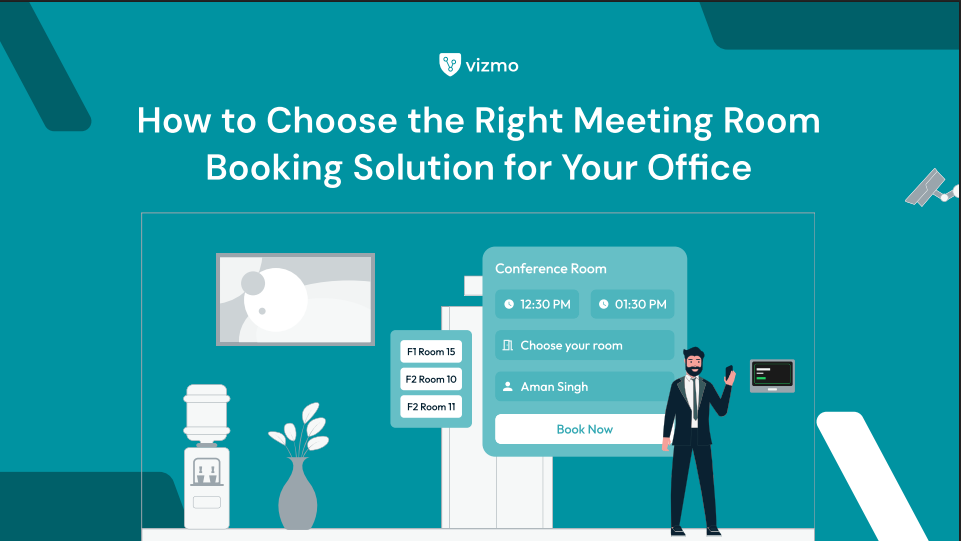
You've done it again. You walk into the conference room at 10:00 AM for a team call, and someone else is already in there — mid-presentation, looking just as confused as you. Your calendar said the room was free. Theirs probably did too.
This is the daily reality in hybrid offices where meeting room booking is still manual, disconnected, or just broken. Office managers are fielding complaints about double bookings, rooms sitting empty for hours, and no way to know which spaces are actually being used.
The right meeting room booking solution fixes all of this — automatically. But with dozens of tools on the market, choosing the wrong one means you've spent the budget and still have the same problem. This guide breaks down exactly what to look for, so you don't.
What Is a Meeting Room Booking Solution?
A meeting room booking solution is software that lets employees find, reserve, and manage conference rooms in real time — from their calendar, phone, or a room panel at the door. It eliminates manual scheduling, prevents double bookings, and gives facility managers visibility into how office spaces are actually being used.
Modern systems go further: they auto-release rooms when no one shows up, sync with Outlook and Google Calendar, and generate utilization reports that help you decide whether you need more meeting rooms — or just better booking habits.
The Real Problem With Booking Meeting Rooms Today
Most offices don't have a room shortage. They have a ghost booking problem.
Someone reserves a room for an hour, the meeting gets cancelled over Slack, and nobody releases the room. The space sits empty. Meanwhile, three other teams are hunting for somewhere to meet. This is one of the most common — and most frustrating — failures of manual or basic room scheduling software.

Here's what that typically looks like in practice:
• Rooms are booked but empty for 30–40% of the day
• Double bookings happen because calendar sync is delayed or incomplete
• No-shows go untracked, so the same person keeps holding rooms they never use
• Facility managers have no data to justify adding or removing spaces
• Hybrid teams can't see real-time room availability before committing to coming in
A 2023 workplace utilization study found that the average office meeting room sits unused for nearly 40% of its booked time. That's not a space problem — that's a system problem.
How the Right Meeting Room Booking Solution Solves This
Vizmo's conference room booking system tackles ghost bookings, scheduling conflicts, and utilization blind spots by connecting room reservations directly to real-world occupancy.
Here's how it works in practice:
• Auto-release kicks in when a meeting hasn't started 10 minutes after its booked time — the room is freed instantly and becomes available for others to book.
• Real-time room availability shows live status on room panels, the web dashboard, and inside Outlook or Google Calendar — so employees know before they walk over.
• Calendar integration means bookings made in Outlook or Google Calendar automatically sync — no double-entry, no missed updates.
• Room utilization analytics give facility managers a weekly breakdown of which rooms are used, how often, and at what times — so they can make data-backed decisions about office space.
• Desk booking and room booking work together, letting hybrid teams plan their full day from one interface — seat, room, and schedule in a single view.
You can explore Vizmo's room scheduling software and see how it integrates with your existing workplace tools.
Meeting Room Booking Software: Feature Comparison
Not all tools are built the same. Here's what separates a basic room scheduler from a fully capable office space booking system:

Real Example: How a Hybrid Office Cut Ghost Bookings by 38%
A 400-person technology services firm in Bengaluru was running 12 meeting rooms across two floors. On paper, rooms were fully booked most of the day. In practice, around 4–5 rooms were sitting empty every afternoon.
The problem: their existing calendar system had no occupancy detection and no auto-release. Rooms stayed 'booked' even when meetings were cancelled informally over chat.
After deploying a meeting room booking solution with auto-release and room panel sensors, the results within 60 days were clear: ghost bookings dropped by 38%, average room utilization rose from 54% to 79%, and the facilities team eliminated their weekly manual audit entirely. Employees could now see live room status from their phones before deciding to come into the office.
What You Actually Gain With the Right Room Scheduling Software
The benefits aren't abstract. Here's what changes when you move from a broken system to a purpose-built conference room scheduling solution for hybrid offices:

What to Look For in a Meeting Room Booking Solution
If you're evaluating options for your office, here are the six criteria that matter most — and where most basic tools fall short:
1. Does it integrate with your existing calendar?
If your team lives in Outlook or Google Calendar, your room booking software must sync both ways. A system that only works inside its own app will get ignored within two weeks.
2. Does it have auto-release for no-shows?
This is the single most impactful feature for reducing ghost bookings. If the software doesn't release rooms automatically when a meeting hasn't started, you'll have the same empty-room problem you started with.
3. Can you see real-time availability — not just scheduled availability?
Scheduled availability tells you what's booked. Real-time availability tells you what's actually occupied. For hybrid workplaces, the difference matters enormously.
4. Does it give you utilization data?
Room utilization analytics are what separate a booking tool from a facility management tool. If you can't measure how your rooms are used, you can't improve it.
5. Does it support desk booking as well?
For hybrid offices, desk booking and room booking should work together. Employees shouldn't need two separate apps to plan a day in the office.
6. How fast can your team actually adopt it?
A tool that requires training manuals won't get used. Look for something employees can figure out in under five minutes — from their phone or inside the tools they already use.
In Short
• A meeting room booking solution prevents double bookings, ghost bookings, and scheduling conflicts by connecting reservations to real-time occupancy data.
• Auto-release is the most critical feature — it frees unused rooms automatically when no-show meetings are detected, often recovering 30–40% of wasted booking time.
• Outlook and Google Calendar integration is non-negotiable for hybrid teams; a system that doesn't sync with existing calendars will be abandoned.
• Room utilization analytics give facility managers the data they need to make decisions about space — not guesses.
• The best meeting room booking software for office managers combines desk booking, room booking, and calendar sync in a single interface employees actually want to use.

FAQs
- How do I choose the best meeting room booking solution for my office?
Start with your two biggest pain points — typically ghost bookings and calendar sync. Choose a solution that addresses both directly: auto-release for unused rooms, and native integration with Outlook or Google Calendar. From there, prioritize utilization analytics if your facility team needs data to manage space.
- What is auto-release in meeting room booking software?
Auto-release is a feature that detects when a booked room hasn't been occupied by its start time and automatically frees it for others to book. Most systems allow you to set a grace period — typically 5 to 15 minutes — before the release triggers. It's the most effective way to reduce ghost bookings without any manual intervention.
- Can meeting room booking software integrate with Outlook and Google Calendar?
Yes — most modern conference room booking systems offer two-way sync with both Outlook and Google Calendar. This means bookings made in your calendar tool appear in the room booking system automatically, and vice versa. Always confirm the sync is bidirectional, not just one-way, before committing to a platform.
- What is a ghost booking in office room scheduling?
A ghost booking is a meeting room reservation that remains active even though the meeting was cancelled, moved, or simply never started. Ghost bookings are the leading cause of rooms appearing 'fully booked' while physically sitting empty. A room booking system with auto-release and occupancy detection eliminates ghost bookings without requiring manual action from employees.
- Do I need separate software for desk booking and room booking?
Not anymore. Modern office space booking systems handle both desk reservations and meeting room bookings from a single platform. This is especially important for hybrid workplaces, where employees need to coordinate their full day — desk, room, and schedule — before deciding whether to come in.