Office Security Best Practices to Follow in 2024

Security is an emerging challenge for modern-day offices and organizations. With both physical and cyber threats at hand, effectively managing them simultaneously is turning into a complicated venture. Offices today face a range of threats, including unauthorized access, theft, data breaches, malware, insider threats, phishing, vandalism, and more, reinforcing the urgency of being prepared against such challenges.
In a Forbes interview, Don MacLennan, Barracuda's senior VP, emphasized that all businesses should invest in security and user training ahead of time to prevent the high costs that come with breaches or other security threats.
However, despite grasping security complexities, many businesses struggle to determine where to begin and which areas to focus on. In this blog, we have covered a list of office security best practices to help you get started and get better at your security game.
What is Office Security?

Office security is the implementation of strategies and practices to protect your workspace, assets, and employees. Physically, office security involves securing entry points, using surveillance cameras, and controlling access. Digitally, it means protecting your network and data from cyber threats like hacking, malware, and ransomware attacks. Together, these practices form a complete and comprehensive security strategy.
Potential security breaches can have serious consequences from individual to enterprise level. For instance, a data breach might reveal confidential customer or client information, leading to legal problems and causing reputational damage. Physical breaches, like unauthorized access to restricted areas, can result in theft, and vandalism and put employee security at risk. Both security vulnerabilities can disrupt operations and be costly, showing the need importance of security in the workplace.
Steps to Secure Your Office
Every office has its specific requirements, hence it's essential to understand your unique needs before addressing them. Once you've identified your office's unique needs, consider creating a security plan tailored specifically for your organization. Conducting risk assessments and utilizing a workplace security checklist is the most practical way to ensure a comprehensive security strategy for your organization. This approach helps identify potential vulnerabilities and implement targeted measures to address them effectively.
Security begins within your organization. According to Cybint, 95% of cyberattacks are linked to human error. Thus, your team's everyday actions can greatly impact security. Being the workforce of your organization, inculcating employees in the effort to enhance security is among the most effective strategies for ensuring internal security. Effectively include employees in regular training and awareness programs encouraging them to take proactive security measures.
5 Office Security Best Practices

Let's look at the 5 best office security practices that you can start with. These practices integrate both physical and digital security measures to create a comprehensive approach to protecting your office environment.
1. Control Physical Access to the Office
One of the most important steps in securing your office is to closely monitor who enters the premises of your organization. With data showing around 28% of business premises are victims of physical security-related crimes. The most common crimes are theft (15%), burglary attempts (9%), vandalism (9%), assaults and threats (7%). It is only imperative that you implement a robust technology that prevents unauthorized access to your business premises.
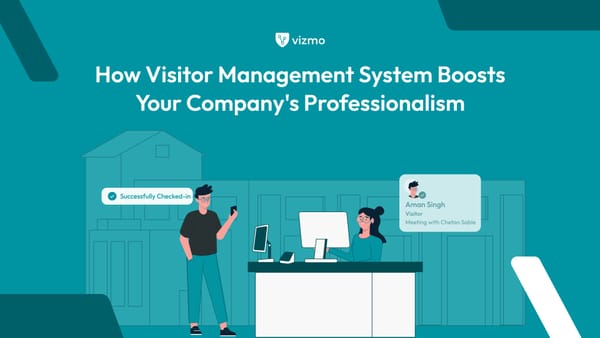
A practical solution is to set up a visitor management system (VMS) at the front desk of your organization. VMS is an automated technology that aids in monitoring, auditing, and managing access to your physical workspace environment. By replacing outdated sign-in methods with a VMS, you not only enhance security but also streamline the visitor check-in process. It is simply an upgrade and better welcoming solution in contrast to traditional pen and paper front desk management.
2. Develop a Comprehensive Access Control Policy
While managing physical access to your premises is detrimental, being in control of deciding who gets access to certain areas within the organization is equally important for maintaining security. These areas can include both physical spaces and digital assets, such as data and files. Administering access defines who is permitted in these specific areas of your office, under what conditions, and how access is granted, monitored, and revoked.
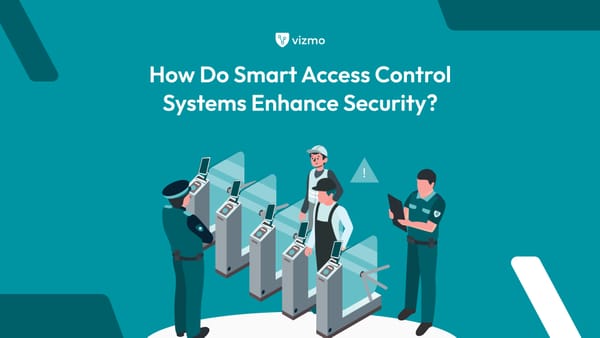
The access control system helps you by providing or restricting access to specific areas or resources based on pre-established criteria set by the organization or your providers. These criteria are usually defined by the roles, responsibilities, and access privileges of employees within the company. With the presence of different types of access control systems out there, select one that meets your specific office requirements.
3. Implement Video Surveillance
Implementing video surveillance services around your organization is one of the best-suggested solutions for deterring criminal activity. A study reports that visible security cameras, such as CCTV cameras, can deter up to 60% of potential intruders when used as part of a comprehensive office security system. In addition, video surveillance systems implementation provides real-time monitoring ensuring that any suspicious activity is immediately detected and addressed.
Video surveillance systems can also be integrated with alarms, access control systems, and motion sensors to further enhance your office's ability to respond swiftly to security breaches. Video surveillance systems serve as valuable tools for gathering evidence in the event of a security breach or incident.
4. Reinforce Cyber Security Measures
Cybersecurity is a pressing issue for businesses in today's digital age. The FY24 IBM reports that the average global cost of a data breach rose by 10% from the previous year, reaching $4.88 million in 2024. There are many measures such as Regularly updating software and hardware, enforcing strong password policies, and using multi-factor authentication (MFA), which you can implement to ensure your safety against cyber threats and attacks.
Additionally, conducting regular cybersecurity training for employees can raise awareness about phishing scams, social engineering tactics, and safe internet practices, significantly reducing the risk of cyber threats.
5. Establishing Emergency and Evacuation Plans
Establishing emergency and evacuation plans ensures that your organization can quickly and effectively respond to various threats, such as fires, natural disasters, or security breaches. Regular drills and training sessions can help employees familiarize themselves with the emergency protocols, minimizing confusion and ensuring a swift and organized response when it matters most.
Lastly, it should also include a recovery strategy to restore normal operations, such as data backups, and IT recovery plans, and having alternative work arrangements in place, such as remote work protocols.
Choosing the Right Office Security System
Selecting the right security system for your office is crucial in ensuring a safe and secure working environment. The effectiveness of a security system largely depends on how well it aligns with your specific needs and circumstances. When choosing an office security system, consider factors such as the size and layout of your office, the nature of your business, the level of security required, your provider, and your budget.
Start by pinpointing the weakest points in your premises and assessing potential security risks. This will help you decide if you need basic alarms or more advanced systems with surveillance cameras, access control, VMS, and motion detectors.
When evaluating vendors for your security system, consider their reputation, customer support, and experience in your industry. Look for vendors that offer scalable solutions that can grow with your business and integrate seamlessly with your existing infrastructure.
Additionally, consider the benefits of AI integrations in modern security systems, which can enhance threat detection, automated monitoring, and provide real-time alerts, thus improving overall response times and reducing the need for extensive human oversight.
Another crucial factor to consider is the potential for real estate cost savings. A well-planned security system can reduce the need for physical barriers, allowing for more flexible office layouts and lowering costs, making it a more cost-effective investment.
Incorporating Security into Workplace Safety Training
Incorporating security protocols into regular safety training in offices guarantees that employees are not only aware of potential threats but also prepared to respond effectively. Key topics to cover in such training sessions should include emergency procedures, such as evacuation routes and lockdown drills, as well as how to recognize and report suspicious activity or potential security breaches.
To keep training sessions engaging and informative, consider incorporating real-life examples and case studies. Additionally, make regular updates in training with new threats and technologies to keep employees well informed.
Visitor Management and ID Verification
A visitor management system not only enhances security but also helps create a safe and professional atmosphere for both employees and visitors. Unlike traditional visitor management practices automated VMS can more effectively identify, deny, or approve access to visitors, enhancing overall security and control.
A visitor management system uses various validation methods as essential tools for managing and controlling access. ID verification, visitor badges, digital check-in kiosks, biometric scans, and pre-registration options are some of the effective methods that a VMS employs to confirm visitor identity and manage access levels.
Maintaining accurate visitor logs is a best practice for any office security plan. Digital visitor management systems can automatically record visitor details, including the time of entry and exit, the purpose of the visit, and the host's name. These logs are valuable for conducting audits, tracking visitor activity, and enhancing security protocols.
Enhancing Security with Smart Access Cards
Smart access cards or badge entry systems are an effective way to enhance employee security within the workplace. Unlike traditional keys or simple ID badges, smart access cards use embedded technology to control who can enter specific areas, ensuring that only authorized personnel have access.
Smart access cards use RFID or NFC technology for secure, contactless entry, allowing employees to just swipe or tap their card near a reader to gain access. Many companies use smart access card systems to enhance security, but challenges like installation costs, and maintenance exist. Despite these, the benefits of improved security, access control, and monitoring make them a valuable investment.
Encrypting Office Data
Data breaches and cyberattacks are growing increasingly common in today's digital facade, encrypting data ensures that even if information is intercepted, it remains unreadable and secure. Without strong encryption measures, sensitive data becomes vulnerable to theft and misuse, potentially leading to huge financial and reputational damage for organizations.
There are several encryption methods used to protect data, each suited for different applications:
Symmetric Encryption: Uses a single key for both encryption and decryption, making it fast and efficient for securing large amounts of data, such as in database encryption.
Asymmetric Encryption (Public-Key Encryption): Uses two keys, a public key for encrypting and a private key for decrypting. It is commonly used for secure communications, like emails and digital signatures, as it securely exchanges data over the internet.
End-to-End Encryption: Commonly used in messaging apps, this method encrypts data on the sender's side and decrypts it only on the recipient's side, ensuring privacy throughout the transmission.
For organizations, a combination of these methods is often the best approach to securing data. Performing regular security audits and vulnerability assessments to identify potential weaknesses in your encryption protocols is an additional step organizations can implement to stay ahead of potential threats and ensure their data remains secure.
Managing Physical Access Automation
By automating access, organizations can easily manage employee permissions, monitor entry and exit times, and respond quickly to any unusual activity. Automation reduces the need for manual checks and provides a more seamless experience for employees, visitors, and security personnel alike. Automated doors and biometric scanners are key to modern access control. Automated doors use access cards or phones, while biometric scanners rely on fingerprints or facial recognition to allow secure entry.
For a smooth integration of these systems into office operations:
Ensure Compatibility: Choose access control technologies that work well with your existing security setup, like surveillance cameras and alarms. This allows for easier upgrades and future scalability.
Employee Training: Conduct training sessions to help employees understand how to use the new systems effectively, reducing confusion and resistance to the change.
Establish Clear Protocols: Develop clear guidelines for handling situations like lost access cards, biometric errors, or system malfunctions to maintain security without interrupting daily operations.
Partner with a Reliable Vendor: Select a trusted vendor who offers ongoing support and maintenance to keep your access control system up-to-date and running smoothly.
Ensuring Strong Password Protocols
Strong, unique passwords are key to securing office systems and sensitive information. Cybercriminals can easily break into networks and accounts with weak or common passwords. To tackle this, encourage employees to change their passwords regularly and avoid reusing them across different platforms.
To make the process of maintaining passwords easier and ensuring security consider implementing two-factor authentication (2FA) as an additional layer of security. In addition, using password managers can help organizations simplify the process of maintaining strong passwords, and also make it easier for employees to follow best practices consistently.
Regular Data Backups
Regularly backing up your office data is essential to protect your organization from potential data loss. Data loss can occur due to various reasons, such as accidental deletion, hardware failure, cyberattacks, or natural disasters. Without proper backups, important data like client information, financial records, and project files can be lost, causing major disruptions. Regular backups help your organization recover quickly and get back to normal after unexpected events.
There are several backup methods, each with its own benefits, such as Full Backups for complete data snapshots, Incremental Backups for faster and smaller updates, Differential Backups for balanced recovery times, and Cloud Backups for remote storage and easy scalability.
To manage backups effectively, start by creating a regular schedule, daily, weekly, or monthly, based on how frequently your data changes. Also, keep backups in multiple locations, both on-site and off-site (such as in the cloud), to protect against physical threats. Set a clear policy on how long to keep backups to avoid extra storage costs and stay compliant with data retention rules.
Implementing Regular Patch Management
Regular patch management is the process of frequently updating your software to fix security flaws and protect systems from any vulnerabilities or cyber threats. Regular patch management is essential for maintaining software security in any organization.
Patch management involves identifying software that needs updates and using automated tools to detect vulnerabilities and available patches. After identifying the necessary updates, patches are tested in a controlled environment to ensure they don't cause disruptions. Once verified, the patches are applied to the systems, followed by monitoring to confirm the updates are effective and stable.
To keep systems up to date, enable automatic updates where possible and schedule regular manual updates for critical systems. Regular audits help identify any gaps and improve patch management over time.
Utilizing VPN for Data Encryption
Virtual Private Networks (VPNs) are used to secure remote access to office networks by encrypting data transmitted over the internet. When employees connect to the office network from remote locations, such as their homes or while traveling, VPNs create a secure "tunnel" that protects data from being intercepted by cybercriminals.
For office security, VPNs are beneficial because they allow employees to access internal resources safely from anywhere, reducing the risk of data breaches. They are especially important when using public Wi-Fi networks, which are often less secure and more vulnerable to attacks.
When selecting a VPN for your office, choose a reputable provider that offers strong encryption standards, a no-logs policy, and reliable customer support. Regularly update the VPN software and conduct periodic security checks to ensure it remains effective against new threats.
Installing Antivirus Software
Antivirus software is essential for protecting office systems against malware, viruses, ransomware, and other cyber threats. In a business environment, even a single infected device can compromise sensitive data and disrupt operations. Given the rising number of cyberattacks targeting businesses, having reliable antivirus software is a fundamental part of any office security strategy.
When choosing antivirus software for your office, look for features that provide strong protection. The software should also offer email and web protection against phishing and malicious sites. For larger office settings, look for antivirus software with centralized management to simplify monitoring and updates.
Enhancing Security with Firewalls
Firewalls help maintain office security by acting as a barrier between your internal network and external threats. They monitor incoming and outgoing traffic and block unauthorized access based on predefined security rules. By doing so, firewalls help prevent cyberattacks, data breaches, and unauthorized access, keeping sensitive information safe from hackers and malicious software.
There are many types of firewalls, each designed for specific purposes such as Network firewalls, Host-based firewalls, Next-generation firewalls (NGFWs), and Cloud-based firewalls. To ensure firewalls remain effective, it's important to follow best practices for configuration and maintenance. Regularly update firewall rules to reflect new security threats and changing business needs. Monitor firewall logs to detect suspicious activity and conduct regular security audits to identify potential weaknesses.
Implementing Multi-Factor Authentication (MFA)
Multi-factor authentication (MFA) is a security strategy that requires users to verify their identity using multiple forms of verification before accessing an account or system. Instead of relying solely on a password, MFA adds extra layers of security, making it much harder for unauthorized users to gain access. This works as an additional layer of security, for instance, even if a password is compromised, the attacker would still need the second or third form of verification, ensuring top-notch security.
To implement MFA effectively, choose methods that are easy for employees to use while offering strong security. Educate your employees on the importance of MFA and guide how to set it up on their devices. Regularly review and update your MFA policies to ensure they stay effective against emerging threats.
Limiting User Permissions
The principle of least privilege (PoLP) is a key concept in security management that means giving users only the minimum level of access necessary to perform their job functions. By restricting access, PoLP helps prevent unauthorized access to sensitive information, reduces the risk of accidental or intentional data leaks, and minimizes the chances of malware spreading across the network.
Setting and managing user permissions effectively involves regularly reviewing and updating access levels for all employees. You can integrate various types of access control systems in your organization to manage access based on your specific needs and preferences. Although excessive permissions can lead to security risks, like unauthorized access to sensitive data or misuse by employees, following the principle of least privilege (PoLP) reduces these risks and keeps systems more secure.
Assessing Threats and Security Levels
Assessing security threats and current security levels is key to keeping your office safe. To do this, start by identifying potential threats, such as physical intrusions, cyberattacks, or data breaches. Regular checks and automated tools help keep track of your security status. There are several ways to assess security, like using vulnerability scanners, penetration testing, and physical security audits.
To simplify the process even further, consider following a comprehensive workplace security checklist that lays out a clear and structured guide to enhance your office's security. Implement necessary fixes, such as updating software, patching systems, enhancing physical security, or providing additional employee training.
Establishing Entrance Access Controls
Controlled entrance access is key to maintaining office security. By managing who can enter certain areas, you can ensure a safer and more secure workplace. Two good reasons to install an access control system are that the market for these systems is expected to grow to $29.72 billion by 2036, and around 28% of businesses reported physical security-related crimes in 2022, the number clearly being on the rise.
Here's what you can achieve with an effective entrance access control system:
- Prevent unauthorized access to sensitive zones
- Ensure only vetted individuals are on-site for employee safety
- Monitor and record activity within the premises
- Protect valuable assets from theft and misuse
- Facilitate emergency responses by controlling entry and exit points
To implement and manage entrance controls effectively, businesses should choose specific access control systems that are compatible with their security needs and existing infrastructure.
Effective Visitor Management
Maintaining detailed logs of everyone who visits your organization is crucial for security and incident investigations. While this may be a routine task, its importance cannot be overstated, as it plays a key role in keeping your organization and employees safe. At the same time, you want to make sure your visitors have a memorable experience that enhances your brand image. Traditional pen and registration methods fall short in this regard, making an automated visitor management system a better and more efficient solution.
When choosing a visitor management system (VMS), select one that offers features like sign-in kiosks, visitor badges, and access control integration. Make sure the process is straightforward and welcoming to avoid long wait times for both employees and guests. This approach ensures a secure, pleasant experience for everyone.
Alarms and Surveillance Systems
Alarms and surveillance systems are essential for maintaining office security by providing real-time alerts and monitoring. Studies have shown that crime rates significantly decrease in areas where CCTV cameras are installed. Surveillance cameras not only deter crimes but also offer crucial footage to investigate security incidents.
Alarms with motion detectors on the other hand can detect unauthorized access, break-ins, or unusual activities. Strategically placed surveillance cameras and alarm systems together can create a better layer of protection with the detection of unusual activities and in responding quickly to potential threats.
Enhancing Perimeter Security
Intrusions often occur through overlooked areas around your office perimeter, not just the main entrance. Unauthorized individuals can access these overlooked areas to enter your workplace which poses a risk to your organization and employees. Think about it! With robust VMS technology and CCTV cameras securing and monitoring your main entrance, an intruder is more likely to seek out an unsupervised way inside.
Surveillance cameras can help enhance perimeter security by monitoring and recording activity around the office grounds. Ensure that cameras cover all critical areas, including entry points and blind spots, to provide comprehensive surveillance. Seek help from your providers to understand how strategically placing cameras around your office perimeter can provide you with all-rounder security.
Securing Office Parking Areas
Parking lots are often overlooked when assessing security needs, yet they can be vulnerable points for unauthorized access, theft, or other criminal activities. Ensuring that these areas are well-protected not only helps safeguard employees' vehicles and belongings but also adds another layer of protection for the office building itself.
To improve parking area security, you can take several steps. Good lighting is essential, as it can deter intruders and lower the risk of theft or vandalism. Installing CCTV cameras provides continuous monitoring and helps spot any suspicious activity. Access control methods like gated entries or keycard systems can also limit access to authorized personnel only.
Leveraging Access Control Technologies
Access control technologies are used to secure office environments and assets by regulating who can access certain areas or files. With an access control system, you can quickly update permissions, you need not worry about security breaches if someone loses a key or leaves the company. Some common access control methods include keycard systems, biometric scanners (like fingerprint or facial recognition), and mobile-based access solutions.
There are several types of access control models you can choose according to your convenience and the policies you want to maintain. When implementing and integrating access control technologies, assess your unique needs and ensure that the chosen technology integrates well with existing security systems, such as surveillance and alarm systems.
Mobile Access for Enhanced Security
Mobile access is emerging as a convenient and modern solution to office security in today's fast-paced society. Mobile access solutions help streamline security protocols by offering a centralized and digital way to manage entry permissions. It allows employees to enter premises and access critical areas or data through the convenience of their phones.
With mobile credentials, administrators can easily issue, revoke, or change access rights in real time without the need for physical handovers or reissuing cards. Mobile access technologies include Bluetooth for unlocking doors by proximity, NFC for tap-based entry, and QR codes for scanning to gain access.
Final Thoughts
Keeping your office secure is important for protecting your employees, information, and your organization. This means looking at many areas, like who can enter, how visitors are managed, where cameras are placed, regularly assessing your shortcomings, educating employees, and keeping up with cyber security practices. All these practices might seem like a hassle but with the number of automated solutions and technologies at hand, securing your workplace has become much simpler.
Vizmo specializes in delivering advanced security solutions and strengthening workplace management and protection. You’re just one tap away from implementing these solutions and making your workplace environment much safer and more secure. Start with a simple demo.